


To capture Rembrandt’s signature look: dramatic contrast, rich shadows, and deep psychological moodiness here is what you’ll want to have on your table.
For the Digital Artist (Procreate/Photoshop)
The "Chiaroscuro" Brush Set: Rembrandt is famous for his built-up textures and soft light transitions. Look for brushes labeled Impasto, Chalk, or Old Oil. These give you that textured, directional grit that lets light catch on the digital canvas.
A "Cinematic Shadow" Overlay: To get that high-contrast, moody aesthetic we love, keep a rich, dark sepia tone layer or heavy canvas texture at the top of your layer stack on Multiply or Overlay at 10–15% opacity.
The Selection & Blend Tools: Essential for beginners to map out large, bold shapes of total shadow before softly blending the edges where the light slowly fades away.
A Low-Angle Desk Lamp: Turn off your bright overhead lights and position a single lamp to the side of your workspace. Painting in a dim room with one strong light source helps you see real-life high-contrast shadows in real-time.
For the Traditional Artist (Acrylics/Gouache)
Medium-Toned Canvases: Instead of starting on stark white, prime your canvas with a warm, transparent brown wash (like Raw Umber or Burnt Sienna). Starting from dark to light makes high-contrast painting feel far less intimidating.
An Earthy Palette: You’ll want deep, rich, low-pressure colors—Raw Umber, Burnt Sienna, Yellow Ochre, Ivory Black, and Titanium White.
Bristle & Fan Brushes: To mimic Rembrandt’s heavy texture (impasto), use stiff-bristled brushes that leave physical, raised ridges in the paint to capture the light.
A Value Sketchbook: Before touching color, use a dark charcoal stick or soft pencil to doodle small thumbnail sketches focusing entirely on blocking out where the black shadows end and the bright light begins.
If you’re a beginner just starting your Artist Study series, don’t feel pressured by complex details. Rembrandt’s genius wasn't in painting every single hair or wrinkle perfectly it was in knowing exactly how to use the dark to make the light meaningful.
🕯️ The Life Behind the Lens
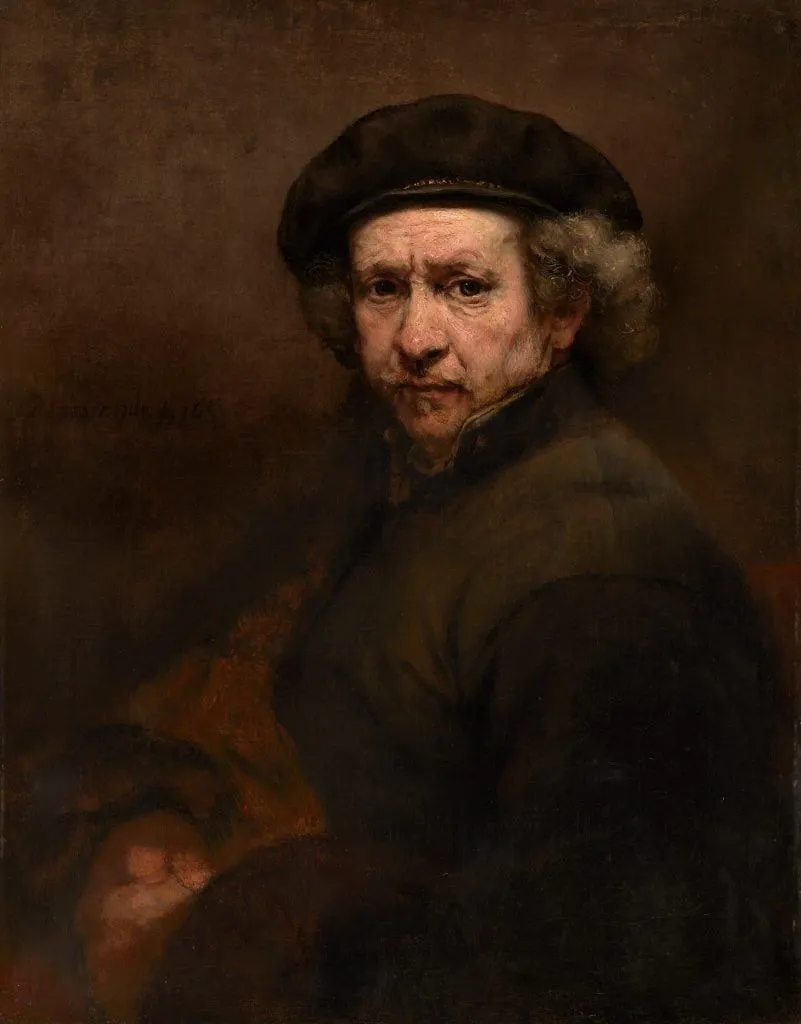
Rembrandt’s journey was a rollercoaster of immense professional triumph and deep personal grief. While he was once the most sought-after portrait painter in Amsterdam, his later life was marked by financial ruin, isolation, and the loss of his loved ones.
It was during these periods of heavy sorrow that his work evolved into something deeply soulful. Moving away from crisp, flashy commercial portraits, he began creating highly textured, honest self-portraits that refused to hide his aging skin or his grief. His art became a human-first exploration of emotional resilience.
🎨 Techniques: Chiaroscuro & Impasto
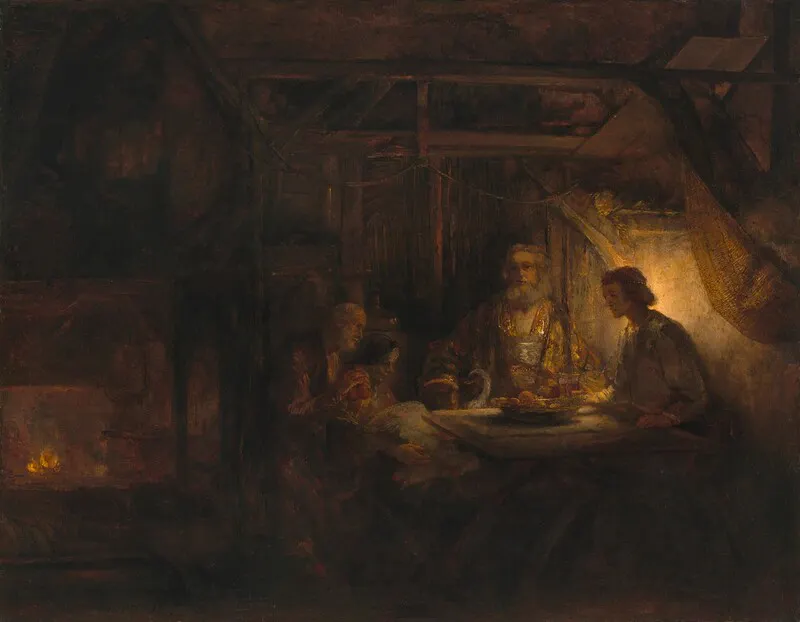
Rembrandt’s style is a masterclass in dramatic atmosphere and physical texture. Here is what made his work so distinct:
Mastery of Chiaroscuro: He used an intense contrast between light and dark. His subjects emerge from deep, atmospheric blackness, illuminated by a single, focused beam of dramatic light.
The "Rembrandt Triangle": In his portraits, he strategically angled his light source so that a perfect, subtle triangle of light captured the cheekbone of the otherwise shadowed side of the face.
Thick Impasto Texture: He applied his paint so thickly that it physically stood off the canvas. This rough texture catches actual room light, making his highlights literally pop forward while his thin, smooth shadows recede into the background.
✨ How to "Rembrandt" Your Own Art (Beginner Tips)
You don’t need to be a master painter to bring cinematic drama into your digital or traditional work. Here’s how to start:
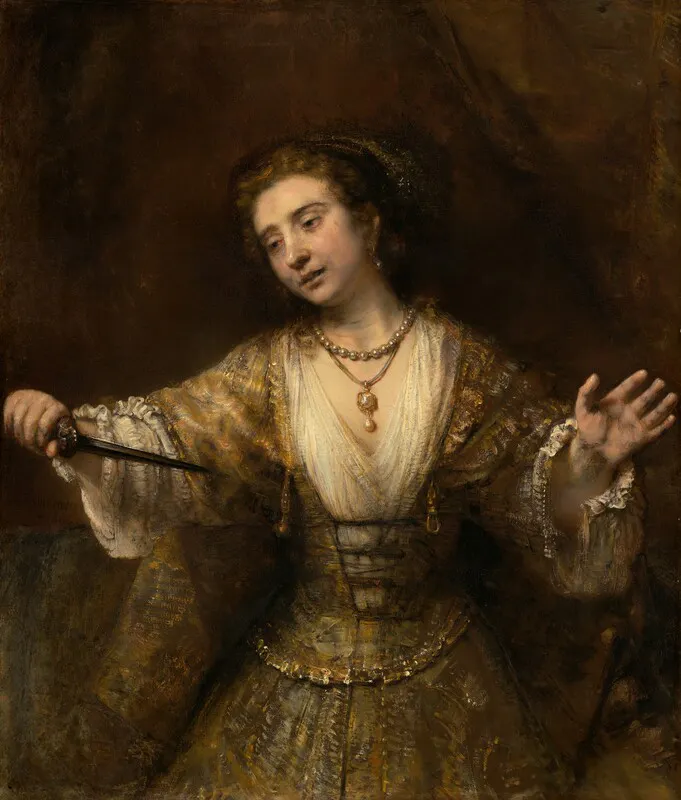
Embrace the Unresolved: Next time you paint, don't feel the need to fill the entire canvas with details. Let the background, the clothing, and the edges of your subject melt completely into a solid, dark void. Leaving parts of a digital painting dark isn't "lazy"—it's a powerful storytelling choice that gives the viewer’s eyes a place to rest and breathe.
Map the "Quiet Ache": Focus your light on a single focal point—like the eyes or hands—and let everything else drift into shadow. Ask yourself: Where do I want the emotional heart of this painting to be?
Work Dark to Light: Instead of painting a face and adding shadows later, block out the entire silhouette in a deep, moody dark tone first. Then, use your light shades to slowly "carve" the features out of the darkness.
📚 Resources for Your Journey
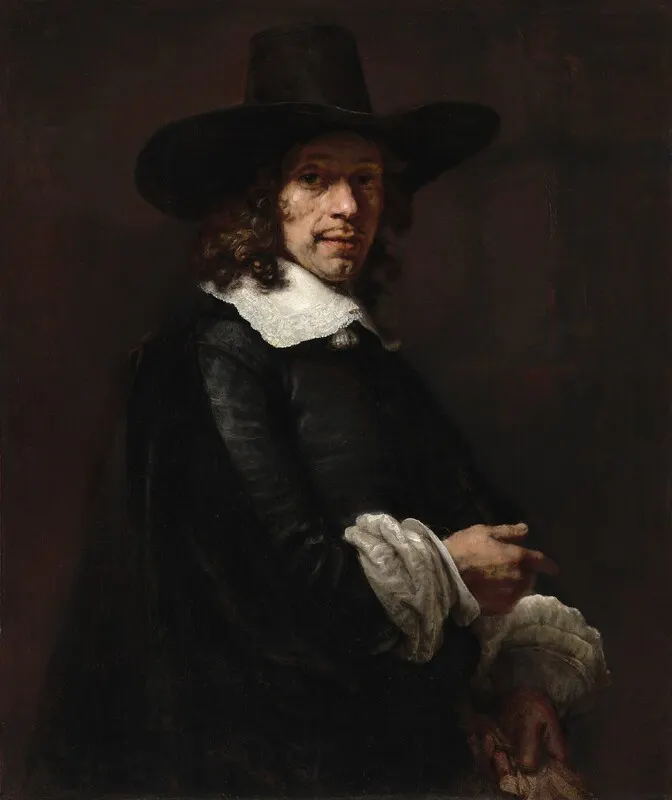
If you want to go deeper into Rembrandt’s world, check out these favorites:
Virtual Visit: Take a high-resolution digital tour of the Rembrandt House Museum in Amsterdam to see where he etched and painted his masterpieces.
Watch: The digital gallery deep-dives hosted by The Rijksmuseum for an incredible, microscopic look at the textures of The Night Watch.
Tools: Look for "Old Master" or "Thick Oil" impasto brush packs for Procreate to experiment with building up physical-looking ridges on a digital screen.
Artist Reminder: Rembrandt’s late work reminds us that we don't need a perfect, shiny, untroubled life to create something monumental. Sometimes, the most beautiful things are born when we learn how to paint right through the dark.
