


Digital art software (Procreate, Photoshop, Clip Studio, etc.)
Soft round brush / airbrush
Gaussian Blur filter
Noise/Grain filter
Basic understanding of layers
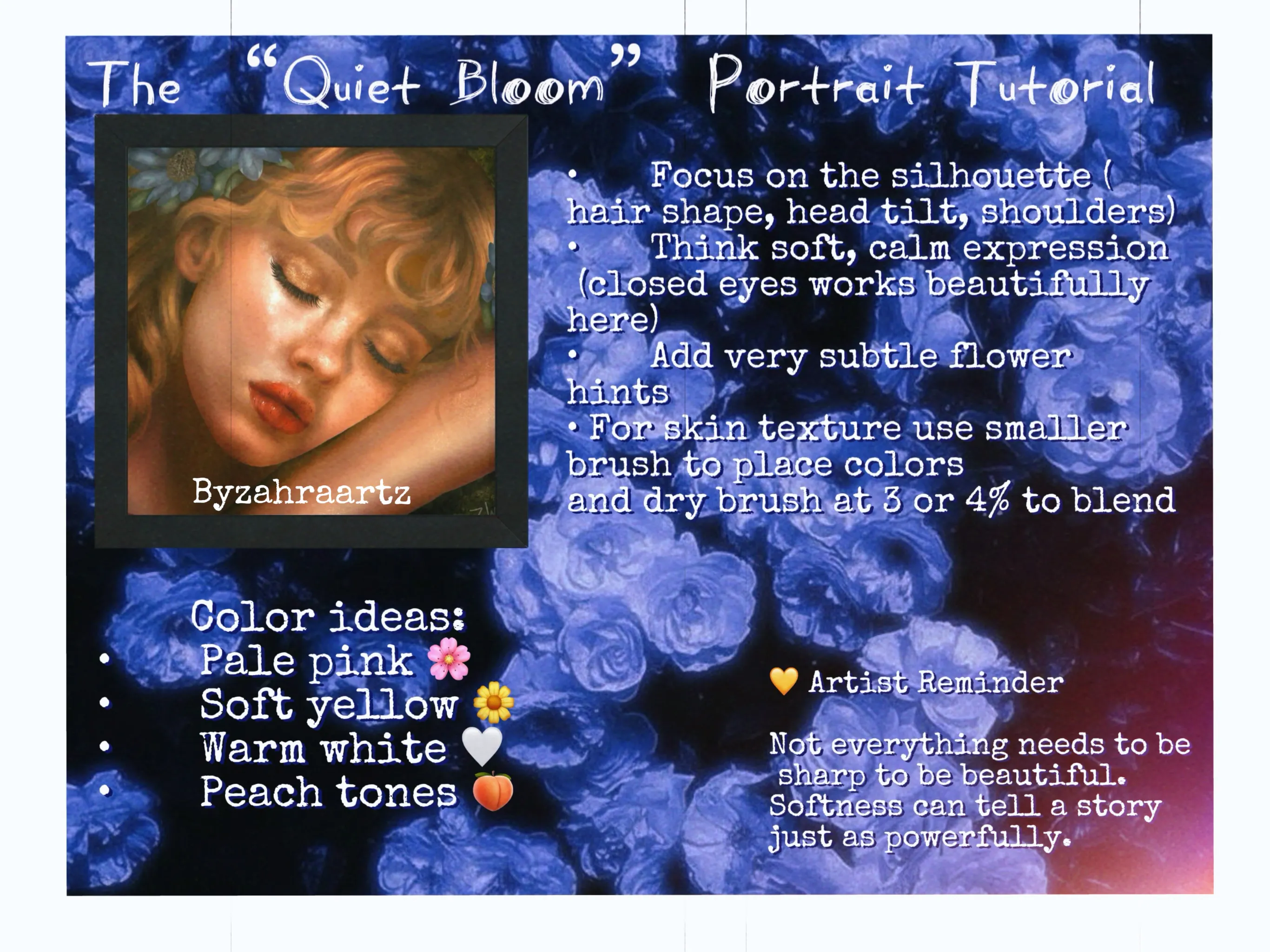
🌱 Step 1: The Sketch & Base (Planting the Idea)
The Subject
Start with a simple portrait sketch:
Focus on the silhouette (hair shape, head tilt, shoulders)
Keep facial details minimal for now
Think soft, calm expression (closed eyes works beautifully here)
💡 Tip: This style is forgiving—perfection is not the goal, mood is.
Base Colors
On a layer under your sketch:
Fill in flat colors for skin, hair, and clothing
Use muted, soft tones (avoid harsh contrast)
Examples:
Warm beige skin tones
Dusty pinks
Soft browns
Creamy whites
(For skin texture use dry brush 3% or 4% to blend your skin together ;)
The “Bloom” Layer (Your Flowers)
Create a new layer above your character.
Using a soft brush:
Paint large, loose blobs where flowers will be
Don’t draw petals yet—think color clouds, not details
Color ideas:
Pale pink 🌸
Soft yellow 🌼
Warm white 🤍
Peach tones 🍑
📌 Place these blobs:
Around the edges of the canvas
Slightly overlapping the character
Framing the face naturally
This creates that dreamy “surrounded by light” feeling.
🌫️ Step 2: The “Hazy” Depth (Creating Atmosphere)
Blur the Bloom
Select your flower layer →
Apply Gaussian Blur
Increase until shapes look like:
Fog
Light leaks
Out-of-focus flowers
✨ This mimics camera depth of field—foreground blur = instant cinematic feel.
Blend the Character Into the Scene
Lower your character layer opacity slightly (85–95%).
Optional:
Add a very soft blur (1–2%) to the character edges
Or lightly erase edges with a soft brush
💡 This makes the subject feel like they exist inside the glow, not on top of it.
🌟Step 3: The “Cinematic Glow” (The Secret Sauce)
This is what transforms it from “nice” → ethereal.
Duplicate & Glow
Merge a copy of all visible layers
Place it on top
Set blending mode to:
Screen or
Add (Glow)
Blur the Glow Layer
Apply Gaussian Blur again (light to medium).
What happens:
Highlights spread
Colors soften
Light starts to “bleed” across the canvas
✨ This mimics how light behaves in vintage film photography.
Control the Glow
Lower opacity until it feels:
Soft, not washed out
Glowy, not blurry
💡 If it’s too strong → erase parts around the face to keep focus.
🌼Step 4: Defining the Flowers (Optional Detail Pass)
Now that your base glow is done, you can:
Add very subtle flower hints
Use a small soft brush to suggest petals
Keep it minimal:
A few edges
Light shapes
No harsh outlines
✨ The illusion is stronger when flowers are suggested, not fully drawn.
🎞️Step 5: Vintage Texture & Film Feel
Add Grain
Create a new layer on top
Fill with 50% gray
Go to: Filter → Noise → Add Noise
Set layer to:
Overlay or
Soft Light
Lower opacity to 10–15%
✨ This gives that film texture, making it feel less digital
Optional: Dust & Imperfections
Lightly add:
Tiny specks
Soft scratches
Subtle noise variation
This adds authenticity to the vintage vibe.
☀️ Step 6: Final Light Pass (Warm Glow Magic)
Create a new layer → set to Overlay
Using a soft airbrush:
Pick a warm color (orange, peach, golden yellow)
Lightly tap areas where light would hit:
Edges of flowers
Hair highlights
Cheeks
Background glow
✨ Think: sunlight filtering through petals.
💫 Step 7: Final Adjustments
Quick checks:
Is the face still the focus?
Are the colors harmonious?
Is the glow soft, not overpowering?
Optional:
Add a slight color balance (warmer tones)
Slight vignette for focus
🌸 Final Result
You’ll have:
A dreamy, glowing portrait
Soft flower “light leaks”
A cinematic, nostalgic feel
💛 Artist Reminder
Not everything needs to be sharp to be beautiful. Softness can tell a story just as powerfully.
